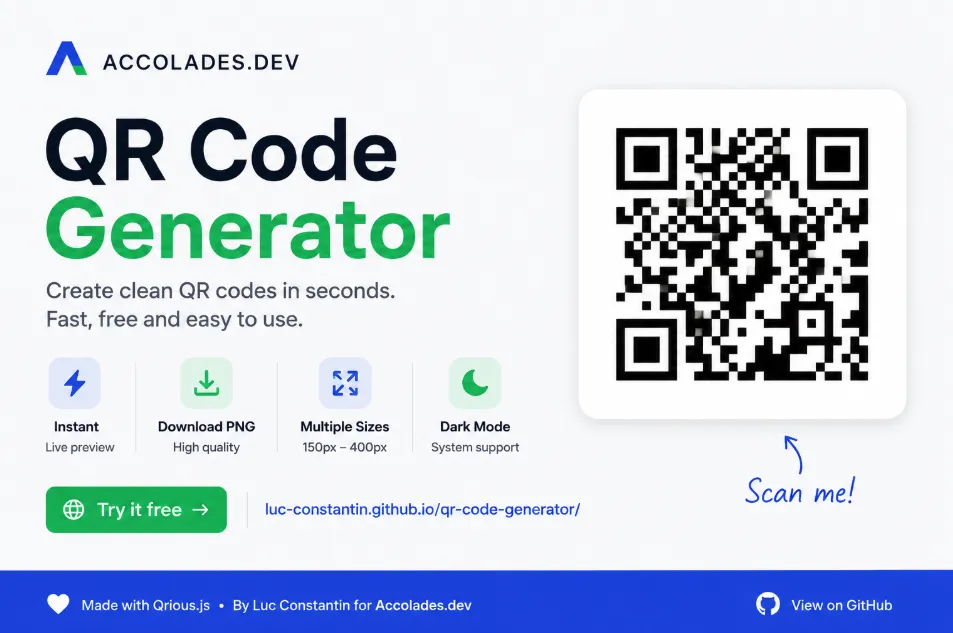
This free QR Code Generator turns a URL, message, or plain text into a downloadable PNG QR code. It is fast, minimal, and built for people who want the QR code without the usual extra steps.
Need a QR code without creating another account? This free QR Code Generator was built for quick, simple QR code creation. Open the tool, paste your link or text, choose a size, and download your QR code as a PNG image.
It works well for business cards, restaurant menus, event flyers, product packaging, landing pages, portfolios, GitHub projects, and everyday links that are too long to type by hand.
What Is the Free QR Code Generator?
The Free QR Code Generator is a free web tool created by Luc Constantin for Accolades.dev. It generates QR codes instantly from a URL, message, or plain text.
The tool is hosted on GitHub Pages and runs directly in your browser. You do not need to install software, create an account, or connect a backend service.
Simple version: paste your link, choose your QR code size, download the PNG, and you are done.
Why I Built This QR Code Tool
QR codes are useful because they remove friction. Instead of asking someone to type a long URL, you can give them a code they can scan with their phone.
That makes QR codes practical for print materials, business cards, restaurant menus, event flyers, landing pages, portfolios, GitHub repositories, and product packaging.
Many QR code generators feel heavier than they need to be. Some ask for sign-ups. Some add too many settings. Some hide basic downloads behind a paid plan.
This tool keeps the job simple
It creates clean QR codes quickly, lets you download them as PNG files, and stays out of your way. The goal is simple: make a QR code, test it, use it.
Main Features
This free QR Code Generator was designed to be minimal, fast, and easy to scan.
The QR code updates as you type, so you can preview your code right away.
Save the finished QR code and use it in print, design files, websites, or documents.
Choose QR code sizes from 150px to 400px depending on where you want to use it.
The interface works on desktop, tablet, and mobile screens.
The tool respects the user’s system preference for light or dark mode.
The design uses Accolades.dev brand colors, including blue #3656e8 and green #33f078.
How to Use the QR Code Generator
Creating a QR code only takes a few steps.
Open the tool.
Go to the QR Code Generator.
Paste your URL or text.
Add a website link, message, menu URL, portfolio page, landing page, GitHub repo, or plain text.
Choose the QR code size.
Select a size between 150px and 400px.
Download the PNG.
Save the QR code and use it wherever you need it.
No build tools. No dependencies. No login. Just a clean browser-based QR code tool.
What Can You Use a QR Code For?
You can use a QR code anywhere you want to connect offline material to an online destination.
Business cards
Send people to your website, portfolio, LinkedIn profile, GitHub profile, or contact page.
Restaurant menus
Link customers to digital menus, order pages, specials, or reservation forms.
Events and flyers
Add QR codes to posters, tickets, badges, handouts, or event signs.
Product packaging
Send customers to instructions, warranty pages, product videos, reviews, or support pages.
Marketing campaigns
Use QR codes on postcards, brochures, stickers, and printed ads to guide people to a landing page.
Portfolios
Let people scan directly to your work, resume, project page, or developer profile.
Built With Qrious.js
This QR Code Generator uses Qrious.js, a JavaScript library for generating QR codes in the browser.
Using Qrious.js keeps the tool lightweight and fast. It also means the QR code can be created directly in your browser without a complex backend system.
Inspired by Marko Denic’s Original QR Code Generator
This QR Code Generator is inspired by the original work of Marko Denic, with full credit and acknowledgment to his project.
Original source:
Marko Denic QR Code Generator on GitHub
Marko Denic’s website:
markodenic.com
This version has been adapted and restyled by Luc Constantin, with modern refinements while keeping the original simplicity and quality of Marko’s project.
Live tool:
luc-constantin.github.io/qr-code-generator
What Changed in This Version?
This fork keeps the original idea simple while adding a few updates for Accolades.dev.
Uses Accolades.dev brand colors and a cleaner visual style.
Supports dark mode based on the user’s system preference.
Improved spacing, cleaner layout, and better interaction details.
Includes small improvements to make the tool easier to use.
The default value now points to https://accolades.dev.
The logo-in-QR experiment was removed to keep scanning dependable.
Why There Is No Logo Inside the QR Code
Some QR code tools let you place a logo in the center of the code. That can look nice, but it can also make the QR code harder to scan if the logo covers too much of the pattern.
For this version, reliability matters more than decoration. The QR code stays clean so it is easier to scan on phones, printed materials, and different screen sizes.
A QR code should look good, but first it has to scan. That is the whole job.
Tips for Creating Better QR Codes
- Test the QR code first: Scan it with your phone before using it publicly.
- Use strong contrast: A dark QR code on a light background is usually safest.
- Keep it square: Do not stretch or squash the image.
- Leave space around it: QR codes need a quiet area around the edges.
- Use a readable size: Small QR codes can be hard to scan when printed.
- Use a short URL when possible: Shorter content usually creates a cleaner QR pattern.
Is This QR Code Generator Free?
Yes, it is free to use.
You can generate and download QR codes without creating an account. The tool was built as a simple free resource for creators, developers, small businesses, and anyone who needs a quick QR code.
If this tool saves you time or helps your project, you can support the work with a small donation. Donations help keep free tools like this online, maintained, and improved.
FAQs About the QR Code Generator
What is the QR Code Generator?
The QR Code Generator is a free browser-based tool that creates downloadable PNG QR codes from URLs, text, or messages.
Do I need an account to use it?
No. You can use the QR Code Generator without creating an account or signing in.
Can I download the QR code?
Yes. The tool lets you download your generated QR code as a PNG image.
What QR code sizes are supported?
The tool supports multiple QR code sizes from 150px to 400px.
Who created this version?
This version was adapted and restyled by Luc Constantin for Accolades.dev. It is inspired by the original QR Code Generator by Marko Denic.
Is the QR Code Generator free?
Yes. The tool is free to use. You can also support the project through the donation link in this article.
Create Your QR Code Now
A good QR code generator should be simple. Open it, paste your link, download your QR code, and move on with your day.